
Linux has a diagnostics-sharing switch and a separate audit-log recorder. Both are off until you enable them. Turning on one is not the same as turning on the other.
Text follows the reviewed Linux source. Screenshots show v2026.10.6-build.1 with synthetic offline data. Controls can differ; cross-client messaging and full recovery have not been verified. The Linux controls and retention information differ from the Android and iOS guides.
Share usage and diagnostics
Open Settings > Advanced > Privacy, then find Share usage and diagnostics.
When enabled, it shares aggregate performance timings and relay diagnostics. The disclosure lists:
- A random installation identifier used until you turn sharing off.
- App and device details, including app version and operating-system information.
- Relay labels.
The collector also receives your IP address. Message contents and account or group identifiers are excluded from this diagnostics stream. Usage-event export is not configured in the reviewed source; the switch's name should not be read as a promise that every kind of product analytics is collected.
The default metrics collector is https://otlp.ipf.dev/v1/metrics. A custom observability.toml configuration can change the destination. Its retention policy is not verified by the reviewed Linux source, so the mobile guides' retention periods do not establish a Linux retention guarantee.
Turn the switch off to stop future diagnostics uploads. Data already sent cannot be recalled. If changing the setting fails, the app shows Couldn't change diagnostics sharing. Please try again. Do not treat a failed change as confirmation that sharing is enabled.
Record and inspect audit logs
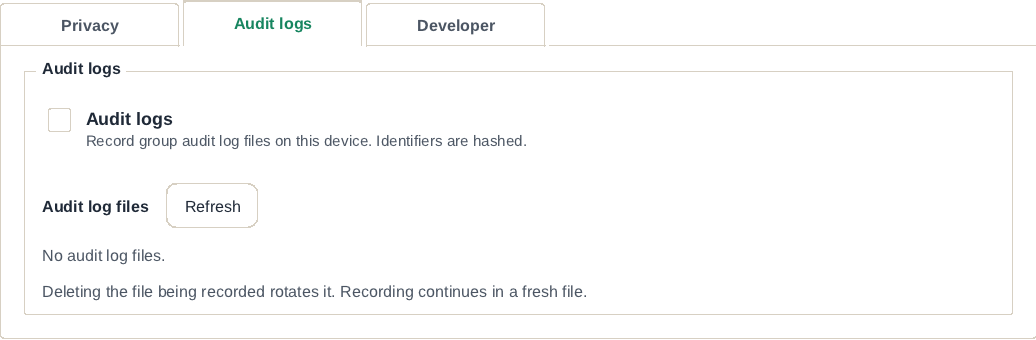
Open Settings > Advanced > Audit logs. Turn on Audit logs only if you need to record group diagnostic activity. The page describes identifiers as hashed; hashing alone does not make a log safe to publish.
Choose Refresh to reload Audit log files. Each row shows a filename, size and, when available, modification time. An empty list says No audit log files.
The page provides a recording toggle and file deletion, not the mobile Export Latest Audit Log or Share group diagnostic logs controls. Turning off metrics sharing does not turn off this recorder.
The client also configures an audit-tracker service at https://goggles.ipf.dev/api/v1/audit-logs/, unless overridden. The reviewed UI does not establish that service's upload behavior or retention policy. Do not assume the presence of a local log list means logs can never be transmitted, or apply the metrics stream's identifier exclusions to audit logs.
Delete a log
Before deleting: Deletion permanently removes the selected local file. Keep it if support needs it. Deleting a local file does not recall any copy already shared elsewhere.
- In Audit log files, choose Delete beside the file.
- Check the filename again, then choose Confirm delete.
- Read the resulting status. If the file was being recorded, White Noise starts a fresh file and recording continues.
Turn off Audit logs as well if you want recording to stop. The file list can then be refreshed without enabling recording again.
Gather a useful problem report
Start with the app version from Settings > About, your package format (AppImage, Flatpak or tarball), Linux distribution, and a short description of what you did. Include the error text and whether the account uses a local key or remote signer. For connection problems, note the connected-relay count under Network & relays.
Advanced > Developer > Developer mode adds Debug and key-package inspection tools. Technical screens can expose account and group information. Review screenshots and logs before sending them; never include an nsec, vault password, signer pairing secret, or backup password.
There is no verified end-to-end Linux log-export procedure in these guides. Ask support which file they need and how to send it before copying files from the app's folders. See Report a problem and the privacy policy.