
These controls limit what other people and apps can see on your phone. Open Settings, then Privacy & Security.
Device protection
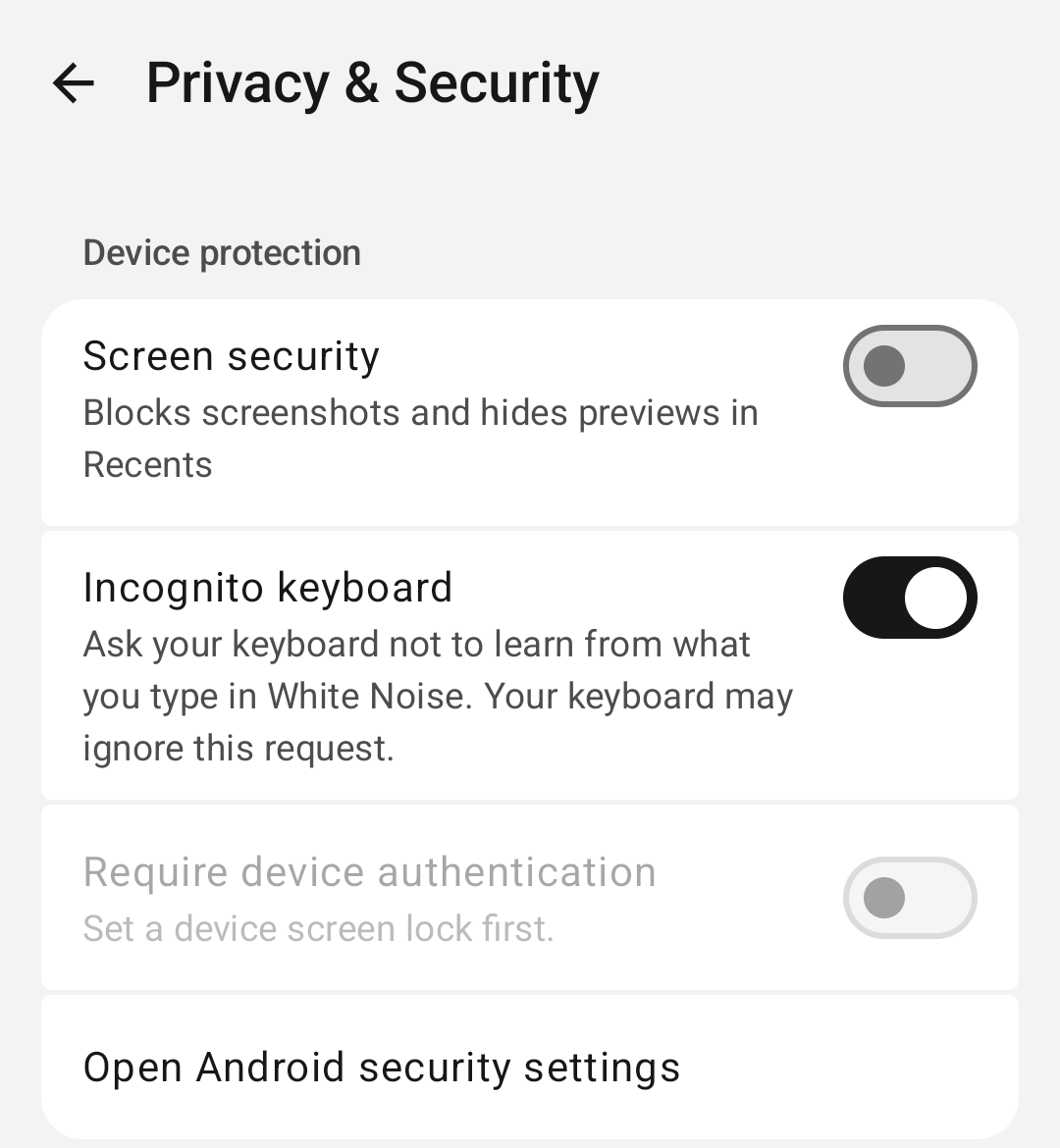
- Screen security blocks screenshots and hides previews in Recents.
- Incognito keyboard asks your keyboard to skip learning from what you type in White Noise. Keyboards may ignore this request, so treat it as best effort.
- Require device authentication asks for your device screen lock when you return to White Noise after the Auto-lock period has passed.
- Auto-lock sets the grace period before White Noise locks.
Turn on device authentication
- Under Device protection, find Require device authentication.
- If it says Set a device screen lock first, tap Open Android security settings, set a screen lock, and come back to White Noise.
- Turn the setting on, then choose an Auto-lock period that suits you.
Expected result: once you’ve been away longer than the Auto-lock period, White Noise asks for your screen lock on return. A quick switch within that period may open the app without a prompt.
Blocked users
Blocking stops a person from messaging you directly. Shared groups keep working, and group history stays on this device.
- Under Blocked users, tap Blocked users.
- Tap a person, then Unblock.
Sometimes White Noise saves your request before it can confirm it; repeating the same action finishes it. When the block list is unavailable, try again later. A failed change can be retried.
Default disappearing messages
Under Message privacy, Default disappearing messages sets how long messages remain in chats and groups this profile starts. It applies to new conversations only, and you can change each conversation later.
Warning: Disappearing messages limit how long messages stay in White Noise. Recipients can still keep copies, for example with screenshots or another camera, and expiry leaves anything already saved untouched.
Diagnostics
Under Diagnostics, open Diagnostics & Improvements to control optional usage sharing and technical logs for this device. The row summary shows On, Usage, Logs, or Off.